windows - Desktop Shortcut
What is it?
I was tired of digging for folders and files, so I made a shortcut app.
You can do this with Windows shortcuts or tools like Rainmeter, but they’re too broad for my use.
So I rebuilt it with Flutter desktop.
Structure
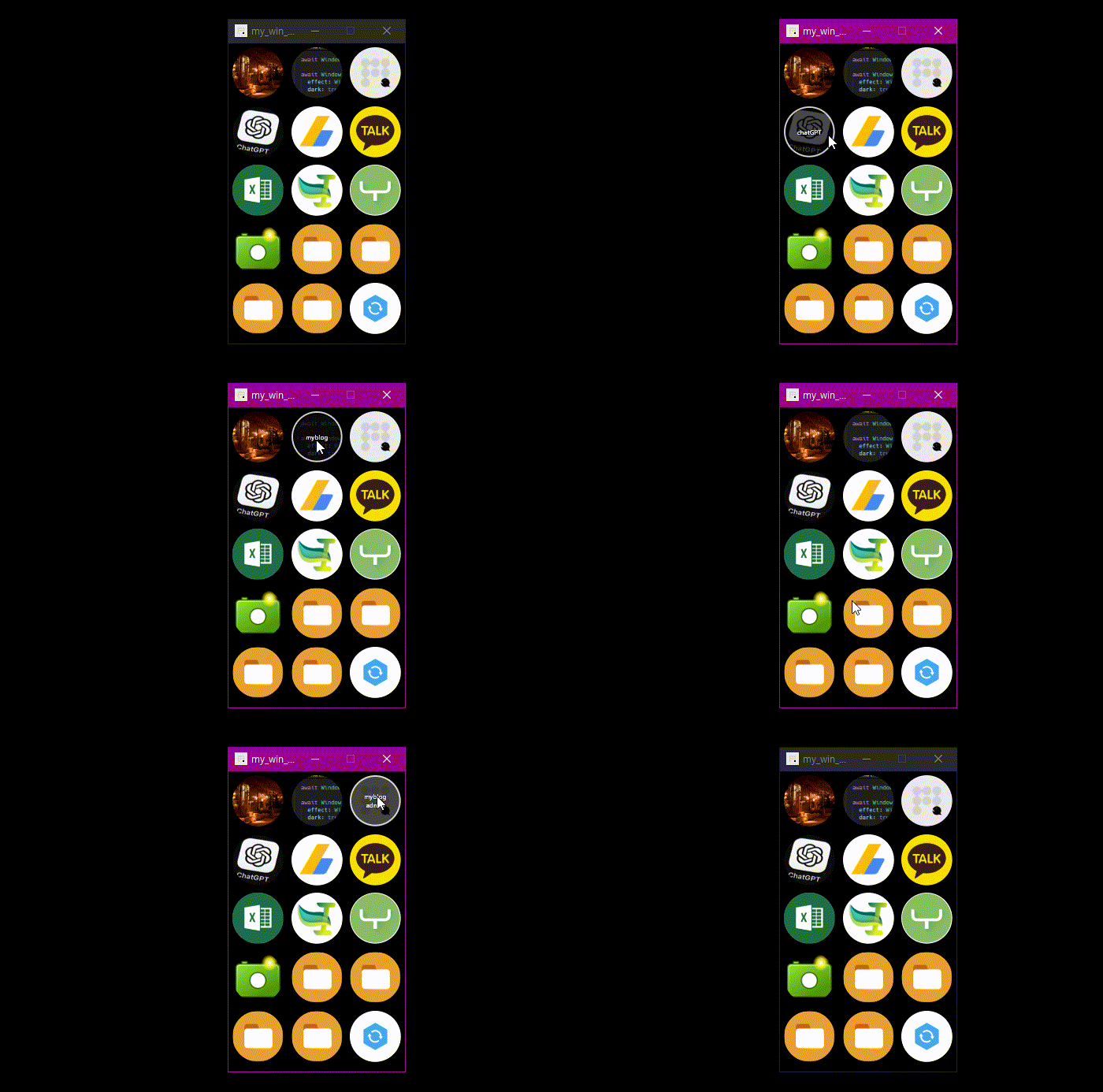
Goal: a floating panel with program launches, site shortcuts, and folder shortcuts.
Windows shortcuts are enough, but mine kept disappearing when I cleaned the desktop.
So I made this.
✶ No input UI. Edit the accompanying json file instead.
✶ Fixed width. Height grows with the number of bookmarks.
✶ Use icons, but show a hover tooltip so I remember what each one is.
Package
Flutter Windows has matured enough to build an exe without much trouble.
Packages I used:
window manager
I picked the first package on pub.dev for controlling the window.
Not sure if it’s the best, but it does what I need.
init
 // Initialize the window manager
  await windowManager.ensureInitialized();
window manager
  double windowWidth = 240;
  double windowHeight = 340 + addsize();

  double posX = 1920 - windowWidth - 20;
  double posY = 1080 - windowHeight - 50;

  WindowOptions windowOptions = WindowOptions(
    size: Size(windowWidth, windowHeight),
    alwaysOnTop: true,
    minimumSize: Size(windowWidth, windowHeight),
    maximumSize: Size(windowWidth, windowHeight),
  );
window manager
  windowManager.waitUntilReadyToShow(windowOptions, () async {
    windowManager.setPosition(Offset(posX, posY));
    windowManager.setHasShadow(false);
    windowManager.setMaximizable(false);
    windowManager.setMinimizable(false);
    // windowManager.setClosable(false);
    windowManager.setPreventClose(true);
    windowManager.addListener(MyWindowListener());

    await windowManager.show();
    await windowManager.focus();
  });
flutter_acrylic
I wanted some visual style, so I used acrylic.
But the window border kept misaligning by ~5px, not sure if it’s Windows 10 or me.
So I ended up using transparent only.
It looked fine on Windows 10, but Windows 11 doesn’t seem to like it.
effect
  await Window.initialize();

  await Window.setEffect(
    effect: WindowEffect.acrylic,
    // color: fc.Colors.black.withAlpha(200),
    dark: true,
  );
system_tray
Because the window is always on top, it can get in the way.
I used system_tray to minimize it into the tray when needed.
The sample code works out of the box.
Result
Using a json file for bookmarks was convenient at first.
But once the list grows and changes often, it gets annoying.
I’ll need a settings page eventually.
end.